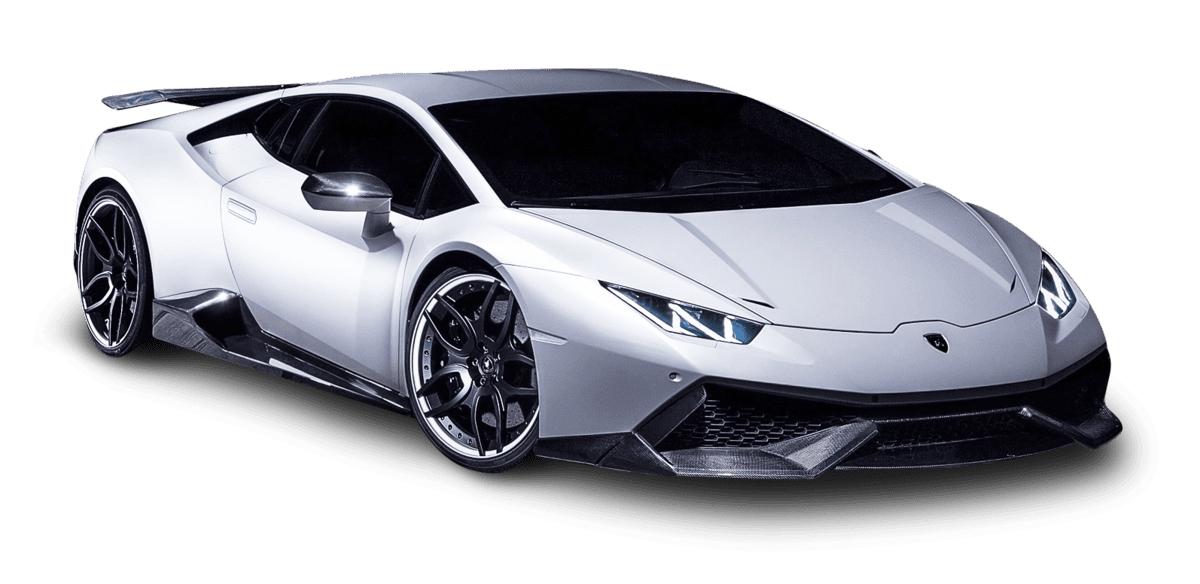
June 23, 2021 NHTSA CAMPAIGN NUMBER: 21V466000
Rearview Camera Image May Not Display/FMVSS 111
A rearview camera that does not display an image reduces the driver’s rear view, increasing the risk of a crash.
NHTSA Campaign Number: 21V466
Manufacturer Lamborghini (Automobili Lamborghini)
Components BACK OVER PREVENTION
Potential Number of Units Affected 2,701
Summary
Lamborghini (Automobili Lamborghini) is recalling certain 2018-2021 Huracan vehicles. In temperatures below 41°F, the rearview camera may not display due to a software error in the infotainment system. As such, these vehicles fail to comply with the requirements of Federal Motor Vehicle Safety Standard (FMVSS) number 111, “Rear Visibility.”
Remedy
Dealers will update the instrument cluster software, free of charge. Owner notification letters were mailed on August 6, 2021. Owners may contact Lamborghini customer service at 1-866-681-6276. Lamborghini’s number for this recall is L62X-R.01.21.
Notes
Owners may also contact the National Highway Traffic Safety Administration Vehicle Safety Hotline at 1-888-327-4236 (TTY 1-800-424-9153), or go to www.nhtsa.gov.
Check if your Lamborghini has a Recall
Campaign code:
L62X-R.02.21
Campaign Name:
Rear View Camera not available – Kombi update
Model:
Huracan 4WD, Huracan 2WD, Huracan Performante,
Huracan EVO
Model year:
2018, 2019, 2020, 2021
Special or limited editions:
All versions
Markets:
Only USA and Canada
VIN identification:
From JLA06855 to MLA16389
Network information notice:
As a result of continuous product monitoring, Automobili Lamborghini S.p.A. has determined that some vehicles were manufactured with a software bug within the infotainment system which when subjected to temperatures below 41 degrees Fahrenheit and after a long sleep may some-times generate a fault that renders the rear view (back-up) camera inoperable until the next power latch.
Operations:
The following instructions include the options:
OPTION B: Kombi sw update and configuration
Solutions for the network:
Update the car as stated in the instructions.
Questions and answers
Lamborghini Huracan – model years 2018 to 2021.
“Rear view camera software update”
- What is the issue with the affected vehicles?
Automobili Lamborghini has determined that the above described vehicles were manufactured with a software bug within the infotainment system which when subjected to temperatures below 41 degrees Fahrenheit and after a long sleep may sometimes generate a fault that renders the rear view (back-up) camera inoperable until the next power latch.
- What is the cause of this condition?
A software bug.
- What effect does the condition have?
When reverse gear is selected, the rear camera view may go blank screen with a pop up message stating that the rear view camera is not available. Accordingly, these vehicles do not comply with the requirements of Federal Motor Vehicle Safety Standard (FMVSS) number 111, “Rear view Mirrors.” If the full camera view is blank and the driver does not check their surroundings before reversing, there may be an increased risk of a crash.
- How can the condition be identified?
A pop up message stating that the rear view camera is not available will be displayed on the dashboard.
Is there any risk for the car occupants?
Automobili Lamborghini S.p.A. is not aware of any accidents or other incidents resulting in injury to a person or damage to property.
- Which vehicles are affected?
Lamborghini huracan, model years 2018 to 2021.
- How many vehicles are affected in US and Canada?
3097 units.
- Which VIN numbers are affected?
From ZHWUD4ZFXJLA06855 to ZHWUT5ZF6MLA16389; manufactured from January 2017 to December 2020.
- What exactly needs to be updated on the car?
The rear view camera software must be updated.
- How long will the repair work take?
Normally, the repair work will take approximately 2 hours.
- Can customers continue to drive the cars?
Yes, if the problem present itself customers should restart their vehicles in order to re-establish the correct functioning of the rear view camera.
- Will Automobili Lamborghini S.p.A. bear the costs of the repair work?
The costs of this campaign will be borne entirely by Automobili Lamborghini S.p.A.
- Where can I have the repair work carried out ?
Any authorized Lamborghini dealer and Service point worldwide.
- Is it necessary to make an appointment at the workshop?
Yes, customer should contact an authorized Lamborghini dealer or Service point.
SEOCONTENT-START
INTERNAL
Recall Campaign: Rear View Camera Software non-compliance on
Lamborghini Huracan Model years 2018 to 2021
S. Agata Bolognese, Italy, August 04, 2021
Dear valued Lamborghini Sales and Service Manager,
In the course of continuous product monitoring and internal tests, Automobili Lamborghini
S.p.A. has determined that a non-compliance that relates to motor vehicle safety exists in
certain 2018-2021 Lamborghini Huracan.
On the affected vehicles were manufactured with a software bug within the infotainment
system which when subjected to temperatures below 41 degrees Fahrenheit and after a long
sleep may sometimes generate a fault that renders the rear view (back-up) camera
inoperable until the next power latch. When reverse gear is selected the rear camera view
may go blank screen with a pop up message stating that the rear view camera is not
available.
Accordingly, these vehicles do not comply with the requirements of Federal Motor Vehicle
Safety Standard (FMVSS) number 111, “Rear view Mirrors.” If the full camera view is
blank and the driver does not check their surroundings before reversing, there may be an
increased risk of a crash.
For the reasons listed above, Automobili Lamborghini decided to launch a non-compliance
recall campaign to rework the involved cars. The repair instructions are now be available on
the HUB section “Service and Recall Campaigns” as well as on LIASS.
In order to further support you in answering questions to your customers, we are attaching
the FAQ (Frequent Asked Question) you must follow.
INTERNAL
Since these activities are extremely important, we are confident you will make every effort to ensure that the vehicles are repaired in the shortest time possible.
For further information, please do not hesitate to contact your responsible Area Manager.
Yours sincerely,
Automobili Lamborghini S.p.A.
________________________ ________________________
Giuliano Cassataro Maria Francesca Portincasa
Head of Service Legal Services
*************************************************************************************************************************
CONFIDENTIAL
–
To: Official After-Sales Network
L62X·
R.02.21
Object:
Date:
Rear View Camera not available – Kombi update
11 August 2021
Pages: 17
Campaign code:
L62X-R.02.21
Campaign Name:
Rear View Camera not available – Kombi update
Model:
Huracan 4WD, Huracan 2WD, Huracan Performante,
Huracan EVO
Model year:
2018, 2019, 2020, 2021
Special or limited editions:
All versions
Markets:
Only USA and Canada
VIN identification:
From JLA06855 to MLA16389
Important: before proceeding with the repair, connect
to the warranty portal and use VIN Info to check
that
[I]
The vehicle is actually affected by the instructions
given in this bulletin; some vehicles may
not be, even when their VIN is included.
Procedures are identified by a letter (e.g. A, B
or C …. etc., whose differences will be explained
later in this bulletin); make sure that
the spare parts corresponding to the assigned
procedure are used.
Example
Code Type Description
LXX- CAMPAIGN NAME
A.XX.XX
Next sennce planned st date
NOTE:
Procedure A will be available only when the instructions
require a preliminary check to be performed to
determine whether or not the vehicle actually needs
updating.
Network information notice:
As a result of continuous product monitoring, Automobili
Lamborghini S.p.A. has determined that some
vehicles were manufactured with a software bug
within the infotainment system which when subjected
to temperatures below 41 degrees Fahrenheit
and after a long sleep may some-times generate a
fault that renders the rear view (back-up) camera inoperable
until the next power latch.
Operations:
The following instructions include the options:
OPTION B: Kombi sw update and configuration
Solutions for the network:
Update the car as stated in the instructions.
~
IMPORTANT!
Before carrying out the operations contained in this
bulletin, please execute any other campaigns
planned for this vehicle in the time order in which
they were issued. The time order can be identified by
the name of the bulletin. Example: L62X-A-08.20 is
bulletin number 8 of 2020.
This document and its contents are strictly confidential and private and are provided for informational purposes only and
may not be copied, recorded, transmitted, further distributed to any other subject, or published, in whole or in part, by
Rev.03 any means or in any form and for any purpose, without the prior written authorization of Automobili Lamborghini S.p.A. 1/17
All copyrights are the property of Automobili Lamborghini S.p.A based on the applicable laws. The company reserves the
right to make updates and modifications. doc. no.: L/V6_M06 Rev.[07]
CONFIDENTIAL
–
–
o
o
o
To: Official After-Sales Network
L62X·
R.02.21
Object:
Date:
Rear View Camera not available – Kombi update
11 August 2021
Pages: 17
Replacement parts:
A IMPORTANT!
When the VIN is entered in the LIASS system, the
specific operation to be performed on that vehicle
will be specified. On the basis of the operation displayed
on LIASS, please order one of the following
codes associated with the operations concerned,
where suggested:
OPTION B: Kombi sw update and configuration
P/N Description Q
N9O7991O2
PAN HEAD BOLT W/ MUL Tl-
1
POINT DRIVE, SELF-LOCKING
Labour:
OPTION B: 2,00 h
Bulletins superseded:
None.
Warranty instructions:
To request reimbursement for the corrective action
performed, access the Warranties section of the
Lamborghini Portal and follow the “Campaigns” entry
instructions in the W.Claim manual which can be
downloaded from the Portal.
Select the required campaign and proceed with entry,
carefully reading the options present in the alert displayed
by the system (see example) and select the
option performed on the vehicle.
B•Test 2
C-Test3
Cosl Cooe SO Sefvlc, Can’l)a1gn
Depending on the option performed, the reimbursement
will be structured in the following manner:
OPTION B: Kombi sw update and configuration
Steps to be executed: I, II, Ill, IV
Labour time: 2,00 h
Spare parts: N90799102
WARNING!
Attach all documents generated during the work carried
out as evidence of the work itself, for instance
workshop orders, diagnostic protocols etc. If one or
more of these is missing it may lead to a rejected reimbursement
request.
Fill out the Service and Recall Campaign section in
the warranty booklet, which is shown in the figure below.
Automoblli Lamborqhini S.p.A.
c..,…_…….tc: • …istenu•~dlrtctllltno/Servb-\nlRfldinif.ii:tlan/Sen4ctandRKall~
s.rv!c■ et~dt- r ….. /~deServleloyu.m.dl ■ T…..-
“”F- D ~– D == □□□□D-DITIJ
–[!][!][!] ~:-=-= [!][!][!]
====== □ ~□ □□□□o-rnrn
–[!]OJ[!]
E:=:’=”=- [!][!][!] ,_ .. __ ,~—_., ……..
;;::-t::: □~□ == □□□□o-rnrn
— [!][!][!]
!?..’S”=”= [!][!][!]
, ___ ,_ —,-….. – …… ~— –·· –
::=- D -:=:=: □ == □□□□D-DITIJ
— – [!]OJ[!]
====-.:::-· [!]OJ[!]
Tools/Materials required
I Cod. I Description
n/n
A IMPORTANT:
Before you follow the instructions in this service
campaign, you need to install the SD-Creator program.
The instructions for installing SD Creator are
contained in the bulletin: “B/.09.17_ [ENG] _SD-Creator
installation package procedures”. Follow the instructions
in the “Bl.25.18” information bulletin to
upgrade the SD-Creator to the latest version available.
Rev.03
This document and its contents are strictly confidential and private and are provided for informational purposes only and
may not be copied, recorded, transmitted, further distributed to any other subject, or published, in whole or in part, by
any means or in any form and for any purpose, without the prior written authorization of Automobili Lamborghini S.p.A.
All copyrights are the property of Automobili Lamborghini S.p.A based on the applicable laws. The company reserves the
2/17
right to make updates and modifications. doc. no.: L/V6_M06 Rev.[07]
CONFIDENTIAL
To: Official After-Sales Network
L62X·
R.02.21
Object:
Date:
Rear View Camera not available – Kombi update
11 August 2021
Pages: 17
A
IMPORTANT:
Automobili Lamborghini S.p.A. informs that the time
necessary to download the software from SD-Creator
is not to be considered refundable on a case by
case basis, being exceptional and acceptable with the
extra-time already included in the time given for operation
B.
Preliminary operations:
1. Ensure you have recently synced with the
mirror server by checking the last synchronization
date:
https://mirrorserver/maintenance/diaqnosis.py
or by directly entering the Btac-box IP address:
https://[IP_address]/maintenance/diagnosis.py
if you have not previously set the IP alias of the
mirror server.
(e.g. htto://12.34.567.890/maintenance/diaqno~
)
A IMPORTANT:
Make sure that the last synchronization was performed
after January 21, 2021.
MS/2 Diagnosis
Configuration
Base path /var/www/desert
Provider URL https://altair.mirrorserver2.neUdeployment
Repository URL https://alta i r. mi rrorserve r2. neUstorage
Feedback URL https://a Ila i r. mi rrorserve r2. neUhealth
Proxy not used
Key fi le /var/www/desert/certs/userkey.pem
Certificate /var/www/desert/certs/usercert.pem
Tests
Local fil e/directory permissions OK
Disk space OK
Provider reachable OK (altair.mirrorserver2 .net)
Repository reachable OK (altair. mirrorserver2.net)
Feedback reachable OK (altair.mirrorserver2 .net)
Provider WebDAV access OK
(https://altair.mirrorserver2 .neUdeployment)
Repository WebDAV access OK (https://altair.mirrorserver2 .neUstorage)
Feedback WebDAV access OK (https://altair.mirrorserver2 .neUhealth)
Successful package downloads 9
Failed package downloads 0
Last Sync 21 /01 /2023 34:47
[ Start tests
(I)
NOTE:
The instructions contained in this bulletin are based
on the ODIS diagnosis software updated to version
7.1.1 and the Lamborghini 2.29.0 or later database
(refer to information bulletin Bl.06.21 and make sure
that ODIS Service is properly updated on the laptop).
§ Version information X
C, Version information
Product version:
Main feature:
Diagnostic data:
~ – 0 102_4-202 10125
70101. 102.10 …. .. • – I
••
• •
didb_GFS-1.en_GB: 2021 .01 .00 / 2.29.0
didb_GFS-1.od_OD: 2021 .01 .00 / 2.29.0
This document and its contents are strictly confidential and private and are provided for informational purposes only and
may not be copied, recorded, transmitted, further distributed to any other subject, or published, in whole or in part, by
Rev.03 any means or in any form and for any purpose, without the prior written authorization of Automobili Lamborghini S.p.A. 3/17
All copyrights are the property of Automobili Lamborghini S.p.A based on the applicable laws. The company reserves the
right to make updates and modifications. doc. no.: L/V6_M06 Rev.[07]
CONFIDENTIAL
To: Official After-Sales Network
L62X·
R.02.21
Object:
Date:
Rear View Camera not available – Kombi update
11 August 2021
Pages: 17
2. It is essential that you connect an appropriate
battery charger to the charge points
available in the luggage hood (front center
of the vehicle). Please refer to the following
figure
Work instructions:
The updating procedure described here includes the
following steps:
I. Download SW from SD-Creator;
II. Kombi unmounting;
111. Kombi sw update and configuration;
IV. Final operations.
&
IMPORTANT:
Do not perform other types of activity on the car
while executing the campaign.
Carrying out the procedure blindly implies unsolvable
damage to the control unit and resulting replacements.
NOTE:
Ensure the key ON and engine OFF during the whole
update procedure. Start a diagnostic session with
ODIS service and keep the diagnostic interface connected
to the OBD socket and do not close the ODIS
Service program or use it for other purposes. Once
the software update has been executed it is necessary
to complete the operation in ODIS.
I. Download SW from SD-Creator
1. In order to download the necessary software
for the update procedure, open on your laptop
the software SD Creator by a double
click on the program icon.
2. When the program starts, fill in the Windows
screen fields as explained in the “Bl-
09.17_[£NG]_SD-Creator installation package
procedures”.
Wekome to SO C,eator. Be!Ofe you launch lhi!i program, plea~ enter Wek~ to SO C!eator. Sefore you laundl this p,rogram. please enter
a lew configu,ation details, Vou can change these later by going 10 a few coofigu,ation details. You can change these later by going to
SffilNGS SETTINGS.
For_.,br…,_l'(lllkutonr’l!lferO.llloO>eSOClnlll
I
Shllwthsdiolic\loneve,ylan2! SM.1″”d,.ologon”””)’lilun<II
3. In the main page of SD Creator fill out the
Model and Part Number fields:
==–:3
This document and its contents are strictly confidential and private and are provided for informational purposes only and
may not be copied, recorded, transmitted, further distributed to any other subject, or published, in whole or in part, by
Rev.03 any means or in any form and for any purpose, without the prior written authorization of Automobili Lamborghini S.p.A. 4/17
All copyrights are the property of Automobili Lamborghini S.p.A based on the applicable laws. The company reserves the
right to make updates and modifications. doc. no.: L/V6_M06 Rev.[07]
CONFIDENTIAL
.
L62X·
R.02.21
•
To:
Object:
Date:
Pages:
Official After-Sales Network
Rear View Camera not available – Kombi update
11 August 2021
17
– START SETTlNGS
4. Select the Part Number related to the desti
► CG • •·~ nation market of your vehicle:
NOTE:
L…….,
►
✓
a. Select the Model, (Huracan);
b. Insert the Micro SD card stick and type the
Part Number specific for your destination
market making reference on the table at
following point.
The typical USB flash drive is NOT being used for this
update, a Micro SD card must be used to download
the software as in the picture below you will see the
Micro SD slot on the bottom of the instrument cluster.
Table of reference for control unit 17 (Kombi)
Part Number Software Target Destination Vehicle
Huracan 4WD
616.530.017.95 1898 Huracan 2WD
Huracan Performante
616.530.017 .96 1981 Huracan EVO
5. Through the Part Number selected, the version
of the ECU 17 software suitable to the
selected market will be downloaded. Then,
click “Search”. The following image is only
for example purposes:
Model: Huracan
Part number: 1616.530.017.95 Search
6. If the entered part number is correct, following
the search, will be shown the model
name and the required size of the Micro SD
card stick to generate the software. E.g.:
Model: Huraciin
Part number: 1616,530,017.95 Search
Model(s): Huraciin
Min. amount of memory: 1 GB
SVMcode:
A IMPORTANT:
Before start to download the software!
The process involves formatting the Micro SD card
and deleting the files inside it.
In order to avoid to lose the data, it is advisable to
use empty Micro SD card.
Make sure that the available storage space is larger
or at least equal to the the size required by SD Creator,
as indicated at the point 5
This document and its contents are strictly confidential and private and are provided for informational purposes only and
may not be copied, recorded, transmitted, further distributed to any other subject, or published, in whole or in part, by
Rev.03 any means or in any form and for any purpose, without the prior written authorization of Automobili Lamborghini S.p.A. 5/17
All copyrights are the property of Automobili Lamborghini S.p.A based on the applicable laws. The company reserves the
right to make updates and modifications. doc. no.: L/V6_M06 Rev.[07]
CONFIDENTIAL
To: Official After-Sales Network
L62X·
R.02.21
Object:
Date:
Rear View Camera not available – Kombi update
11 August 2021
Pages: 17
ATTENTION:
If the error shown in the following image occurs in
the download f ram SD Creator, perform the instructions
at the end of this document, in Trouble shooting
section .
• – □ X
1111 START SITTINGS
Cancel Refresh Exit Check Format O:ZO fjKt Mal”H.UII Support
SD Updater r. SO<O<d
Part number: 61
Extraction of data failed.
CopyupdatedatatoSOcard I
Model(s}: .J,,
Min..amount ofmemory 15 I
SVMcode: . L.:::::=========~ X L…..J
Proces teITmnated ulrocbon of data foiled
7. Follow the instructions to download the software.
Click the Start Button,
► , to start the software
download process. The software will be automatically
saved in the Micro SD card stick.
• SDCre.-itor
1111 START SETTINGS
► C G • ‘”” ~•1,_ __-1 (1) im
Start Refresh Exit Check Form!lt ‘II” Eject Manual Support
SO Updater r,, SOc.w Help r,,
Model: Huraclin ~———-
PI I rt number: ==.S~3=0.01=.79~S _____ 7 ~
Model(st. Hura<:An Min. amount of memory 1 GB SVMcode: L..mfwert E:\ ausgewahh ► I .J,, L……J ~ [0 ~ 8. At the end of the process, green icons will appear on the right and a positive feedback will be displayed indicating the success of – □ X the operation. Click on the bar ✓ “in order to finish the download process. The Micro SD card stick is automatically unplugged from your laptop. • – START SETTINGS ► CG . , .. , SOUpdlllK r. Partnum~ Model(s): Min.amountoflYlffllQfY l SVMcode: Nocard1eadeiselectll’d Cl>Kk FOfmlt ‘l” Ejtd.
Copy update d11ta to SO <;ard
Card successfully ejected.
Manual Support
H.tp r;,
I
.J,,
L…..J
9. To verify the success of the operation, extract
and reinsert the Micro SD card and
make sure that the software required is present.
The following image is an example concerning
the folders created.
112]
HMM Home Share View I
Mana ge
Drive Too ls
v 1′ _ ) This PC , 61653001795 (E:)
k Quick access
Desktop
,.. Downloads
~ Do cuments
~ Pictures
OneDr ive
-=- This PC
Desktop
~ Do cuments
,t
,t
,t
,t
Name
@ boot.scr
D fl ash_bootlGader
0 initramfs
D sd_updat er_image.hex
D u-bo ot. 1st
D u-boot.2nd
D ulmage
0 upd at er_image.bin
Ii video-m3.img
Ii vpss-m3.img
61653001795 (E:)
This document and its contents are strictly confidential and private and are provided for informational purposes only and
may not be copied, recorded, transmitted, further distributed to any other subject, or published, in whole or in part, by
Rev.03 any means or in any form and for any purpose, without the prior written authorization of Automobili Lamborghini S.p.A. 6/17
All copyrights are the property of Automobili Lamborghini S.p.A based on the applicable laws. The company reserves the
right to make updates and modifications. doc. no.: L/V6_M06 Rev. [07]
CONFIDENTIAL
L62X·
R.02.21
To:
Object:
Date:
Pages:
Official After-Sales Network
Rear View Camera not available – Kombi update
11 August 2021
17
10. At this point the downloaded software is
available on the Micro SD card stick and
ready to be flashed on the car.
This document and its contents are strictly confidential and private and are provided for informational purposes only and
may not be copied, recorded, transmitted, further distributed to any other subject, or published, in whole or in part, by
Rev.03 any means or in any form and for any purpose, without the prior written authorization of Automobili Lamborghini S.p.A.
All copyrights are the property of Automobili Lamborghini S.p.A based on the applicable laws. The company reserves the
right to make updates and modifications. doc. no.: L/V6_M06 Rev.[07]
7/17
CONFIDENTIAL
L62X·
R.02.21
To:
Object:
Date:
Pages:
Official After-Sales Network
Rear View Camera not available – Kombi update
11 August 2021
17
II. Kombi unmounting
11. Turn the steering wheel to access the airbag
retaining springs, then apply leverage to unhook
them.
steering wheel. When reinstalling, line up the
reference on the steering wheel with the one
on the steering column.
6:M5_0001368
12. Disconnect the connector then remove the
airbag module.
Position the airbag as shown in the figure.
Tightening torque: 30 Nm+ 90°
A IMPORTANT:
A
The steering wheel bolt MUST be replaced, when you
open the campaign in LIASS it auto-populates the
steering wheel bolt so please make sure it is replaced.
WARNING:
Static electricity discharges can cause the airbag to
deploy.
OK KO
62×15 0001368
13. Straighten the front wheels. Keep the front
wheels straight throughout the procedure.
Unscrew the retaining bolt and remove the
This document and its contents are strictly confidential and private and are provided for informational purposes only and
may not be copied, recorded, transmitted, further distributed to any other subject, or published, in whole or in part, by
Rev.03 any means or in any form and for any purpose, without the prior written authorization of Automobili Lamborghini S.p.A.
All copyrights are the property of Automobili Lamborghini S.p.A based on the applicable laws. The company reserves the
right to make updates and modifications. doc. no.: L/V6_M06 Rev.[07]
8/17
CONFIDENTIAL
L62X·
R.02.21
To:
Object:
Date:
Pages:
Official After-Sales Network
Rear View Camera not available – Kombi update
11 August 2021
17
14. Unscrew the retaining screw and remove the
side cover on the steering column.
16. Pull the air vent, disconnect the electrical
wiring then remove it from the instrument
Repeat this operation on both sides. panel.
Tightening torque: 2.5 Nm
Perform this operation for the air vents at the sides
of the instrument cluster.
15. Unscrew the retaining screw, extract the
electrical wiring then remove the lower
cover of the steering column. 17. Remove the cap and unscrew the retaining
screw of the complete instrument cluster.
Tightening torque: 2.5 Nm
This document and its contents are strictly confidential and private and are provided for informational purposes only and
may not be copied, recorded, transmitted, further distributed to any other subject, or published, in whole or in part, by
Rev.03 any means or in any form and for any purpose, without the prior written authorization of Automobili Lamborghini S.p.A.
All copyrights are the property of Automobili Lamborghini S.p.A based on the applicable laws. The company reserves the
right to make updates and modifications. doc. no.: L/V6_M06 Rev.[07]
9/17
CONFIDENTIAL
To: Official After-Sales Network
L62X·
R.02.21
Object:
Date:
Rear View Camera not available – Kombi update
11 August 2021
Pages: 17
18. Lift the fa bric cover and unscrew the two retaining
screws of the complete instrument
cluster.
Tightening torque: 2.5 Nm
19. Unscrew the retaining screw of the instrument
cluster located inside the air vent
housing.
Repeat this operation on both sides.
Tightening torque: 2.5 Nm
20. Disconnect the electrical wiring then remove
the complete instrument cluster from
the vehicle
At this point, once the instrument cluster is removed,
install the Micro SD card in the slot on the
bottom of the instrument cluster and then reconnect
all electrical connections of the kombi, the
reason for this whole removal of the instrument
cluster and installing the card allows for the software
to be onboard of the instrument cluster and
can be downloaded much sooner, standard
method could take several hours.
This document and its contents are strictly confidential and private and are provided for informational purposes only and
may not be copied, recorded, transmitted, further distributed to any other subject, or published, in whole or in part, by
Rev.03 any means or in any form and for any purpose, without the prior written authorization of Automobili Lamborghini S.p.A. 10/17
All copyrights are the property of Automobili Lamborghini S.p.A based on the applicable laws. The company reserves the
right to make updates and modifications. doc. no.: L/V6_M06 Rev.[07]
CONFIDENTIAL
L62XR0221A
To: Official After-Sales Network
L62X·
R.02.21
Object:
Date:
Rear View Camera not available – Kombi update
11 August 2021
Pages: 17
Ill. Kombi sw update and configuration
Refer to the procedure in the workshop manual regarding”
Implementation of an SVM code”.
A IMPORTANT:
Improper use of this function can cause damage to
the ECUs.
21. To start the procedure to execute an SVM
code, select the “Special functions” card in
ODIS.
~~·-” ———-. :·_a_. ——.- ·—— –=: .. – X $
– ————
-t/f T•III\’
t . ” -·. ” ……….. .,., , . ~· r::li!!Zil–
22. Click on “SVM-Direct input: SVM for
problem-related update” and then on “Perform
test”.
23.Enter the code “L62XR0221A” in the appropriate
space at the top right and click
“Adopt”.
You have selected the SVM code input program.
• Enter the requ ired SVM code
~ … ,011o-i,,~ .. –,
• U,CS,,11-(CO. IOCMG.•IC.)
• ~olllold~
• 0<11tn1111•vs-1or~pom
(e., . , _CMliovw)
• OT(~p,o,,Uflact.-i
24. The SVM code entered is again displayed
in the dialog box. If the entered code is correct,
click on “Yes”. Otherwise click on “No”
to cancel the SVM procedure.
25.Wait for data to be acquired from all the
control units. This operation requires a few
minutes.
Please wait, the vehicle diagnostic tester will continue to switch automatically …
15:30:54
26.To run the SVM function and access the
Lamborghini servers, you must have a valid
GeKo account. Ensure that the laptop is correctly
connected to the Internet. Enter your
GeKo username in the “User name” field and
the PIN 1324 + the 6-digit code currently displayed
on the GeKo token in the 11Password11
field.
This document and its contents are strictly confidential and private and are provided for informational purposes only and
may not be copied, recorded, transmitted, further distributed to any other subject, or published, in whole or in part, by
Rev.03 any means or in any form and for any purpose, without the prior written authorization of Automobili Lamborghini S.p.A. 11/17
All copyrights are the property of Automobili Lamborghini S.p.A based on the applicable laws. The company reserves the
right to make updates and modifications. doc. no.: L/V6_M06 Rev.[07]
CONFIDENTIAL
To: Official After-Sales Network
L62X·
R.02.21
Object:
Date:
Rear View Camera not available – Kombi update
11 August 2021
Pages: 17
Click “Adopt” to confirm.
27. The SVM function will automatically continue
with identification of the control units
in the vehicle.
Status:
The identif1eation data are read from the following control unit:
0001 • Engine Control Module 1
Please wait, the vehicle diagnostic tester will continue to switch automatically.
28. Once the SVM is run, you will receive a
prompt (see below) asking “Should the update
programming of the control module
for the 17 – instrument cluster be
started?”, at this point please hit “YES”.
29. Do not follow the instructions given by the
tester, but instead press “Cancel test” to
exit the SVM.
• The update programming of the control module 17 – Instrument cluster
could not be performed.
ECF OPEN_LOGICAL_LINK_FAILED
Leave the ODIS tester connected, which will return to
its initial page, then follow the instructions on the Instrument
Cluster.
NOTE
At this point, the Kombi will turn off and search for
the software on the Micro SD card. With the Micro
SD card inserted, the screen will remain off completely
for several minutes until the update screen
appears with a yellow progress bar.
Rev.03
This document and its contents are strictly confidential and private and are provided for informational purposes only and
may not be copied, recorded, transmitted, further distributed to any other subject, or published, in whole or in part, by
any means or in any form and for any purpose, without the prior written authorization of Automobili Lamborghini S.p.A.
All copyrights are the property of Automobili Lamborghini S.p.A based on the applicable laws. The company reserves the
12/17
right to make updates and modifications. doc. no.: L/V6_M06 Rev.[07]
CONFIDENTIAL
To: Official After-Sales Network
L62X·
R.02.21
Object:
Date:
Rear View Camera not available – Kombi update
11 August 2021
Pages: 17
30.Wait for completion of the update, indicated
by the yellow progress bar below the display
as shown in the first image, until it disappears
completely and the Instrument Cluster
turns back on, as indicated in the second image.
31. Repeat steps 27 to 34 to run the SVM program
again with campaign code
L62XR0221B.
32.lt might become necessary to perform one
or more of the following operations in the
SVM procedure:
Coding;
Parameterization;
Calibration.
To perform these actions, it is usually necessary
to click on “Done/Continue” where requested and
to follow the instructions directly provided on the
ODIS dialog screens.
– –
, .• :• ‘,, 2 °’ , ,~ ‘ : -.., ,’ ‘. – .,,. r• ,.
. – ———~
, .. ,,_,. –
33.From the Guided Functions of the ECU 17 run
the function “17 – Identification” and check
if the information indicated in “Software
Version” is the same shown in the following
table, along with the vehicle type (the following
image is used as example):
Table of reference for control unit 17 (Kombi)
Software Target Destination Vehicle
Huracan 4WD
1898 Huracan ZWD
Huracan Performante
1981 Huracan EVO
Rev.03
This document and its contents are strictly confidential and private and are provided for informational purposes only and
may not be copied, recorded, transmitted, further distributed to any other subject, or published, in whole or in part, by
any means or in any form and for any purpose, without the prior written authorization of Automobili Lamborghini S.p.A.
All copyrights are the property of Automobili Lamborghini S.p.A based on the applicable laws. The company reserves the
13/17
right to make updates and modifications. doc. no.: L/V6_M06 Rev.[07]
CONFIDENTIAL
To: Official After-Sales Network
L62X- Object:
R.02.21 Date:
Rear View Camera not available – Kombi update
11 August 2021
Pages: 17
IV. Final operations
34.Turn the key to OFF and remove the Instrument
Cluster from the vehicle.
35.Carefully remove the Micro SD card from the
slot in the instrument cluster and retain it
for future use.
36.lnstall the instrument cluster in the vehicle
and perform the first ten points of this procedure
(unmounting) in reverse order.
37.Select the “Special Functions” card and then
“Erase fault memory – overall system” in order
to delete all stored faults.
… · . : – , .., .
··-
JOI • .,__…,.,_~———- ·——-;;;__ ________ _, _.,_ ___ _
–_—_–_.– ———- _,_ __ ———-
M.1 -0…-………
The complete guide for deleting faults is available
in the workshop manual, chapter “10.00.B-Deleting
the data in the fault memory of control
units”.
38.Go back to the “Block diagram” card and select
“Read all fault memories” from one of
the vehicle’s control units in order to update
the display of the f au Its present after deletion.
-. ~
.. : ‘ ·,: ~ . ‘ . ·. : : “”
——— –
~
IMPORTANT:
Solve any f au/ts still present by performing the functions
listed in the “Test plan”. Perform the procedure
“II. Fault memory deletion” again until all faults are
fully removed from the vehicle’s control units.
/* Diagnosis protocol saving */
This document and its contents are strictly confidential and private and are provided for informational purposes only and
may not be copied, recorded, transmitted, further distributed to any other subject, or published, in whole or in part, by
Rev.03 any means or in any form and for any purpose, without the prior written authorization of Automobili Lamborghini S.p.A. 14/17
All copyrights are the property of Automobili Lamborghini S.p.A based on the applicable laws. The company reserves the
right to make updates and modifications. doc. no.: L/V6_M06 Rev.[07]
CONFIDENTIAL
–
–
–
To: Official After-Sales Network
L62X·
R.02.21
Object:
Date:
Rear View Camera not available – Kombi update
11 August 2021
Pages: 17
39.Save the Diagnostic protocol as described in
the chapter “10.00.H-Saving the diagnostic
protocol” when the procedure described
in this document is completed.
A IMPORTANT:
The Diagnostic Protocol must be attached to the
Corresponding Warranty Request (to enter the request
on the web portal, refer to the W.Claim manual
which you can consult in the Warranty section of
the portal).
Trouble shooting:
i. If the following error screen is displayed,
abort the guided function by clicking on “Cancel
Test” and contact Technical Support.
~ ~ – – a – – r- a ft, a II. _ – 0 ~
•••, l . : ,.. ,. _, • ~ ,,. r’ .. .$
ii.
——–~
If an error is displayed that regards the hardware
interface, and the 11connection to vehicle11
and 11key state” icons appear as shown in
the figure below:
Click “Cancel”;
Repeat installation of the interface
VAS5054/6154/6154A for the instructions in
procedure (*)”VCI Manager v2.0″, selecting
the right-hand “Extras” menu in ODIS and
clicking on the “Diagnostic interface” button.
– .
,,, .. .. • .$
———
Welcome to the diagnostic program
iii. If one of the following connection errors is
displayed like in the following example
screens hots:
It is not possible to connect to the central
server; check that your laptop is correctly
connected to the Internet and retry by
clicking on “Yes” or “Done/continue”, as
appropriate.
Rev.03
This document and its contents are strictly confidential and private and are provided for informational purposes only and
may not be copied, recorded, transmitted, further distributed to any other subject, or published, in whole or in part, by
any means or in any form and for any purpose, without the prior written authorization of Automobili Lamborghini S.p.A.
All copyrights are the property of Automobili Lamborghini S.p.A based on the applicable laws. The company reserves the
15/17
right to make updates and modifications. doc. no.: L/V6_M06 Rev.[07]
CONFIDENTIAL
–
–
–
–
–
–
–
–
–
–
–
–
–
–
To: Official After-Sales Network
L62X·
R.02.21
Object:
Date:
Rear View Camera not available – Kombi update
11 August 2021
iv.
Pages: 17
If the connection is dropped during the course
of the target/actual comparison during the
SVM procedure:
It is not possible to connect to the central
server; check that your laptop is correctly
connected to the Internet and retry by
clicking on “1”.
‘ ‘
‘ ‘ ,,. . …
‘ ‘
– ~——-~ •n,en~.—M-I—-: ——…. c….ru.c–.. Sollwo .. v.-…_.(SW)11..,,_.s _-_–_~ 1SVUJ
NOT_OIUl,Y ·Chldo””””””‘”-“~l– .. _……,_,._._IO’f’N,:,,I”‘~
1 ____ , __ 10NSclww.\l–,M__,.(SVM.)
2C..:ol–. … -Ml- be_lO .. S<it…V..-…,_~l
v. If the authentication error as shown in the following
screenshot is displayed (error code:
ODS1OO7E):
Ensure you have a valid GeKo user account
Ensure that the “GeKo” label is printed
on the token you are using
Ensure you have entered the correct
password
Click on “Cancel” and run the application
test (see document
“ODIS_ControlloConnessione_
Server SVM_2.O” <*l). vi. vii. If the infrastructure error as shown in the following screenshot is displayed (error code: ODS9212E): Ensure you have a valid GeKo user account Ensure that the “GeKo” label is printed on the token you are using Check that the Internet is set in ODIS settings and not CPN (see document “Setup_lniziale_ODIS_7.O” (*)) Click on “Cancel” and run the application test (see document “ODIS_ControlloConnessione_ Server SVM_7.O” (*)). ,o, login If the same error type should reoccur during the application test, try the following procedure: Exit ODIS Browse to the folder C:\Program Data\Offboard_Diagnostic_lnformation_ System_Service\.automatic_sessions on your diagnostic laptop Delete the only file which will be in the older Restart ODIS Service, ensuring that: 1. You have a network connection 2. The ODIS connection is set to Internet Run the connection test again, and perform the SVM again with your GeKo Token. This document and its contents are strictly confidential and private and are provided for informational purposes only and may not be copied, recorded, transmitted, further distributed to any other subject, or published, in whole or in part, by Rev.03 any means or in any form and for any purpose, without the prior written authorization of Automobili Lamborghini S.p.A. 16/17 All copyrights are the property of Automobili Lamborghini S.p.A based on the applicable laws. The company reserves the right to make updates and modifications. doc. no.: L/V6_M06 Rev.[07] CONFIDENTIAL – – To: Official After-Sales Network L62X· R.02.21 Object: Date: Rear View Camera not available – Kombi update 11 August 2021 Pages: 17 IMPORTANT: If the error occurs again, repeat the procedure and try with a second GeKo token, if available. I sessions Share View « ProgramData > ODIS Service Ordner > sessions V CJ
JI ” Name Date modified Type Size
D automatic_session_ 1598880159173 31/08/2020 15:23 File 708 KB
viii. If the following error should occur, it is necessary
to follow the instructions given in
Bl.25.18 (Rev.02), which can be downloaded
on the Lamborghini HUB portal:
• SDC – □ X
1111 START SITTINGS
C:U.Cel Refresh &it Check Fonnat l;l” Ejffi Ma.r.uol Support
SDUpdat@r r,, SD card
Model:
Partnum~r. 61
Extraction of data failed.
Copyupdatedat,toSOc.ird I
Model(s): -1,.
Min. amount ofmemory 16 I
SVMcode: . L::::::=========-‘
X L…..J
Proce55term,nated Extracbonofdatafa,!ed
[I]
NOTE.<*>
All ODIS technical documentation can be viewed on
the Lamborghini web portal, in the corresponding
ODIS section.
IMPORTANT:
The documents which must be provided with the warranty
request are:
Produced Repair Order
Saved Diagnostic Protocol and Beta Report
Failure to follow these procedures could lead to the
request being reiected.
This document and its contents are strictly confidential and private and are provided for informational purposes only and
may not be copied, recorded, transmitted, further distributed to any other subject, or published, in whole or in part, by
Rev.03 any means or in any form and for any purpose, without the prior written authorization of Automobili Lamborghini S.p.A. 17/17
All copyrights are the property of Automobili Lamborghini S.p.A based on the applicable laws. The company reserves the
right to make updates and modifications. doc. no.: L/V6_M06 Rev.[07]
SEOCONTENT-END
4 Affected Products
Vehicle
| MAKE | MODEL | YEAR |
| LAMBORGHINI | HURACAN | 2018-2021 |
9 Associated Documents
Recall Acknowledgement
Noncompliance Notice 573 Report
RCLRPT-21V466-9419.PDF 215.785KB
Recall 573 Report – Amendment 1
RCLRPT-21V466-5970.PDF 215.844KB
Remedy Instructions and TSB
RCRIT-21V466-5030.pdf 4162.395KB
Remedy Instructions and TSB
RCRIT-21V466-3437.pdf 3998.032KB
Remedy Instructions and TSB
RCRIT-21V466-8875.pdf 4148.145KB
Recall Quarterly Report #2, 2021-4
RCLQRT-21V466-1468.PDF 211.259KB
Miscellaneous Document – Questions and answers Lamborghini Huracan model years 2018 to 2021
RMISC-21V466-2056.pdf 122.175KB
Manufacturer Notices(to Dealers,etc)- Recall Campaign: Rear View Camera Software non-compliance on Lamborghini Huracan Model years 2018 to 2021
RCMN-21V466-0777.pdf 195.803KB
Reprogramming
Information for reprogramming
This section provides you with all the information on the diagnosis services for Lamborghini vehicles.
General Information
Lamborghini offers independent operators the opportunity to perform diagnosis via special software that can write data in the Immobilizer and reprogram the engine and gearbox control units, using commercial interfaces that comply with SAE J2534 and J2534-1 standard.
This standard outlines the specifications necessary for a generic peripheral device (hardware) to interface with vehicles.
You must register on the Lamborghini portal before you can download the software.
The software may be used only upon purchase of the relative licenses, which permit the software to be used for limited periods.
Hardware tools
The following commercial interfaces have been tested by Automobili Lamborghini:
- Car DAQ-Plus cable bundle (ditta Drew Technologies) [easyazon_cta align="center" identifier="B006HUTM8S" key="small-light"]
- VSI-2534 (ditta DGTECH of Dearborn Group) [easyazon_cta align="center" identifier="B01C4JJWNU" key="small-light"]
- iFlash 2534 Global Programmaer (ditta Blue Streak Electronics)
Diagnosis software available for a fee
- Software for reprogramming the engine (starting with MY07) and the gearbox (starting with MY 08) on Gallardo and Murciélago (downloaded from this site upon payment of a fee).
- Software for reprogramming the Immobilizer on Gallardo USA starting with MY09 models are contained on the DVDs (purchased on the erwin USA website)
- Software for reprogramming the Immobilizer on Gallardo EU starting with EU5 type-approved models are contained on the DVDs, (purchased on the erWin Lamborghini website).
- Software for managing the vehicle diagnostics on the complete electronic vehicle platform of Aventador starting with MY12 and Huracán starting with MY15 models are contained on the DVDs (purchased on the erWin Lamborghiniwebsite).
Software licenses
- The engine diagnosis software license (Prk Loader Pass Thru) may be purchased after you have registered on the Lamborghini portal.
Use is limited - at the user's choice - to 30 or 365 days.
- The gearbox and for Gallardo engine starting from MY09 diagnosis software license (LaRa Independent Pass Thru) may be purchased after you have registered on the Lamborghini portal.
Use is limited - at the user's choice - to 30 or 365 days.
- The software license for reprogramming the Immobilizer system (ODIS SERVICE) may be purchased after you have registered on the erWin website (please refer to the erWin website for the terms and conditions of use).
- The software license for offboard diagnosis on Aventador and Huracán (ODIS SERVICE) may be purchased after you have registered on the erWin website (please refer to the erWin website for the terms and conditions of use).
https://serviceinformation.lamborghini.com

- Advanced VCI Box, Industry-leading J2534 Pass-Thru Technology: This J2534 Pass-Thru Programmer is designed espically for technicians, independent shop owners, and DIY enthusiasts, enables fast, reliable computer-based programming. It supports all J2534 protocols—including the latest DoIP and CAN FD—ensuring full compatibility with both legacy and next-generation vehicles.
- High-Speed OEM-Level Diagnostics & Programming: Unlock true OEM functionality with comprehensive system diagnostics, guided troubleshooting, coding, adaptations, resets, and programming—all designed to slash repair time. This all-in-one tool eliminates the need for multiple OEM devices, boosting efficiency and cutting costs. Equipped with High-Speed USB, it delivers 10x more data per second than competing solutions
- Coverage for 17 Car Brands & Ultra Reliability: Works seamlessly for Chrysler, for Ford(Forscan), for GM, for Nissan, for Toyota, for Honda, for Subaru(SSM4), for Land Rover/Jaguar, for Volvo, for Wuling, for Volkswagen, for Mercedes-Benz, and for BMW. Backed by over 10000 real vehicle tests and benefit from a wealth of practical experience, this OEM reprogramming tool guarantees stable and exceptional performance
- User-Friendly RLink Platform & Expert Support: TOPDON’s proprietary driver management platform offers a clean interface and lifetime free updates. Access a rich library of real-world case studies to stay ahead of the curve. Backed by a support team with 10+ years of J2534 and automotive repair experience, we provide one-on-one assistance to resolve any technical issue.
- 6.6 ft USB-C Cable & Portable Storage Case: The RLink J2534 diagnostic tool features a 6.6ft USB 2.0 Cable and a 1.2 ft OBDII Extension Cable, allows to connection your computer easily outside the vehicle. The included handled carry case offers easy portability, storage, and hanging options—keeping your gear clean and ready to go, anywhere.

- J2534 Pass-Thru Programmer: TOPDON RLink J2534 is an advanced diagnostic and reprogramming tool that support all J2534 protocols, as well as D-PDU, CAN-FD and DoIP, ensuring compatibility with a wide range of modern vehicles. It offers extensive versatility with support for over 18 major automotive brands, including Chrysler, Ford, GM, Nissan, Toyota, Honda, Subaru, Land Rover/Jaguar, Volvo, Wuling, Volkswagen/Audi, Mercedes-Benz, and BMW. NOTE: Not compatible with Ford IDS diagnostic software
- All-in-One OEM Diagnostics: This J2534 ECU programming tool elevates your automotive repair capabilities to new heights by delivering complete OEM diagnosis. Boasting comprehensive full-system diagnostics, intuitive repair guides, advanced ECU programming and coding, common reset services, a vast library of repair information and more, this all-in-one solution empowers technicians to effortlessly tackle complex vehicle issues with ease. *Not compatible with 24V vehicles
- Proven Performance You Can Trust: Backed by over 10000 real vehicle tests and benefit from a wealth of practical experience, this OEM reprogramming tool guarantees stable and exceptional performance. Supported by TOPDON's dedicated technical experts with in-depth knowledge of both auto repair and J2534 Pass-Thru programming, the RLink J2534 provides prompt and professional assistance, ensuring a smooth setup and reliable compatibility
- Integrated Excellence, Always Up-to-Date: Featuring the exclusive RLink Platform to provide a streamlined experience with one-click driver installation and management, ensuring flawless integration with your OE software, maintaining the original performance quality. The built-in operation guide makes mastering OE software quick and easy, so you can get started right away. Plus, with lifetime free updates, your diagnostics will stay current with the latest drivers and innovations
- Efficiency Meets Versatility: Engineered to support three CAN channels simultaneously - CAN FD and CAN-CC included, giving you the edge in fast troubleshooting. To perfectly synchronized with the OE software, please diagnose with active subscriptions and make sure your computer system is running a compatible 64-bit Windows version (7, 8, 10 or later) to fully leverage the power of RLink J2534. *We don't provide extra OE software

- Dual WiFi & 10.1" Touchscreen: Provides a stable, high-speed wireless link 3x faster than bluetooth, and a responsive, professional interface. Topdon ONE obd2 scanner diagnostic tool ensures smooth, non-lagging diagnostic scan, boosting mechanic efficiency
- J2534 Pass-Thru Support: The included ONE VCI supports the J2534 standard, allowing it to function as a pass-thru device when paired with OEM diagnostic software.Through TOPDON’s RLink platform, technicians can perform dealer-level coding, expanding in-house capabilities without investing in multiple factory automotive scan tools
- OE Topology Mapping: Visualize the vehicle’s ECU network exactly as it’s built.Zoom, pan, and highlight specific modules to pinpoint component issues with precision.Topology mapping displays real-time communication between modules
- 50+ Service Functions: Covers high-demand services like ADAS calibration, DPF regen, TPMS reset, ABS bleed, and throttle adaptation.Expands your service menu, allows you to charge premium rates, and turns away zero jobs due to lack of tooling. Vehicle-specific functionality may vary
- Advaned ECU Coding: 10 of the most serviced brands in North America, including full ECU coding and flash hidden support for BMW, VW, Au-di, Benz, Porsche, Toyota, Ni ssan and more. Enables module replacement, feature customization, and personal settings with automatic backup or restore.Lets your shop safely offer high-margin customization services, attracting more customers and boosting profit

- 【J2534 Pass-Thru Device】 This budget-friendly J2534 pass-thru device delivers OEM diagnostics and reprogramming capabilities for dealerships, repair shops and automotive DIY enthuisasts, enables you diagnose, program and repair the vehicles more efficiently and precisely. Supporting J2534, D-PDU, CAN-FD and DoIP, this J2534 passthru tool ensures wide vehicle coverage. It's compatible with OE software application, ensuring seamless integration and original performance quality
- 【All-in-One Diagnostic Tool】 Simplify your workflow and tackle the complex diagnostics and repairs with confidence! This J2534 passthrough tool provides full system diagnosis, bi-directional control, maintenance reset services, ECU programming and ECU coding to run advanced diagnostics and programming. Equipped with the specialized platform, this J2534 pass-thru tool is fully compatible with OE software that helps technicians confidently handle complicated vehicle repair issues
- 【J2534 Diagnostic Tool】 The Tabscan J2534 pass-thru device is built with a dedicated platform, making it ideal for both professional and personal use. Simply download the driver for your ford vehicle within the platform—ensuring only one driver is installed at a time. Then connect the device to your vehicle’s OBD2 port and link it to your computer using the included USB A to USB C cable. Finally launch your OE software, select Tabscan J2534 VCI as interface, and begin diagnose and program
- 【Universal Compatibility】 Tabscan J2534 reprogramming tool is designed to be compatible with Ford vehicles for advanced diagnostics and programming. It supports J2534 protocols, along with D-PDU, CAN-FD and DoIP, ensuring seamless connectivity with older or modern vehicles. This J2534 diagnostic tool only works with computer running on windows 7/10/11. Vehicle compatibility varies by model or year, please confirm with us before purchase. Note: It's not compatible with 24V vehicles
- 【Professional Technical Support】 Tabscan J2534 pass-thru device provides a stable and seamless connection between your vehicle and computer for diagnostics, programming, and coding. But that's not all—we go beyond hardware. Our dedicated technical support team brings deep expertise in automotive diagnostics and programming. Whether you need help with setup, troubleshooting or latest diagnostic resources and upgrades, we provide fast, professional and reliable support every step of the way

- [J2534 Pass-Thru Programmer] - TOPDON RLink J2534 is engineered for professional technicians, delivering OEM diagnostic and reprogramming capabilities. It supports all J2534 protocols, CAN-FD, DoIP, D-PDU. Compatible with 17 vehicle brands—such as Chrysler, Ford, GM, KIA, Hyundai, Nissan, Toyota, Honda, Subaru, Mitsubishi, MAZDA, Land Rover/Jaguar, Volvo, Volkswagen/Audi, Mercedes-Benz, and BMW. RLink J2534 can help reduce the cost of purchasing equipment from different brands.
- [All-in-One OEM Reprogramming and Diagnostics] - When seamlessly integrated with OEM diagnostic software, this dongle enables you to perform a wide range of functions, including ECU programming and coding, DTC reading and clearing, active tests, component matching, adaptations, rewriting, guided troubleshooting, and more. This all-in-one tool eliminates the need for multiple OEM devices, significantly boosting work efficiency.
- [Tested, Trusted, and Proven for Accuracy] - TOPDON RLink J2534 is renowned for its reliability, having successfully completed over 10,000 real-vehicle tests. The wealth of data and hands-on experience behind it ensures consistent performance and accurate results. You can trust this tool to deliver optimal performance.
- [One-Click Installation, Continuous Updates] - The exclusive TOPDON RLink platform streamlines installation with a one-click driver setup, allowing you to quickly access OEM software for diagnostic and reprogramming tasks. With lifetime free updates, your RLink J2534 stays current without any additional cost, ensuring reliable performance for the long term. *We don't provide extra OE software.
- [Works with Windows Compatibility and OEM Software Subscription] - The RLink J2534 supports three CAN channels - including CAN FD and CAN-CC, providing advantages in the process of rapid troubleshooting. Compatible with Windows 7, 8 and 10 (64-bit) and higher versions of the system. For full functionality, an active OEM software subscription is required for each supported vehicle brand. Please note that the dongle does not include OEM software, which must be purchased separately to access brand-specific diagnostic and reprogramming features.
This product presentation was made with AAWP plugin.